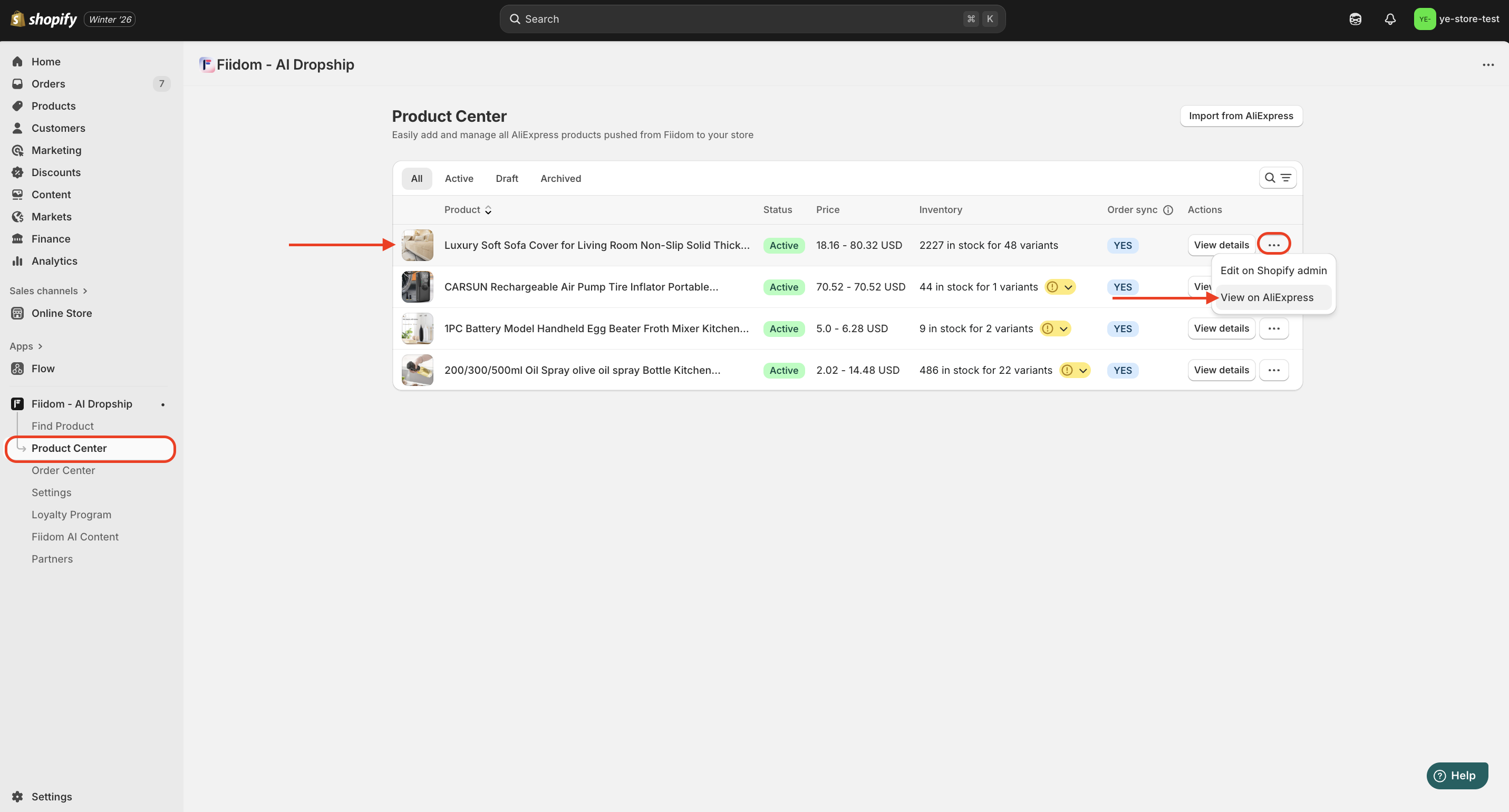
You can view AliExpress products pushed from Fiidom AI Dropship to your store by going to the Product Center, clicking the three-dot icon on the Product Card, and selecting View on AliExpress.
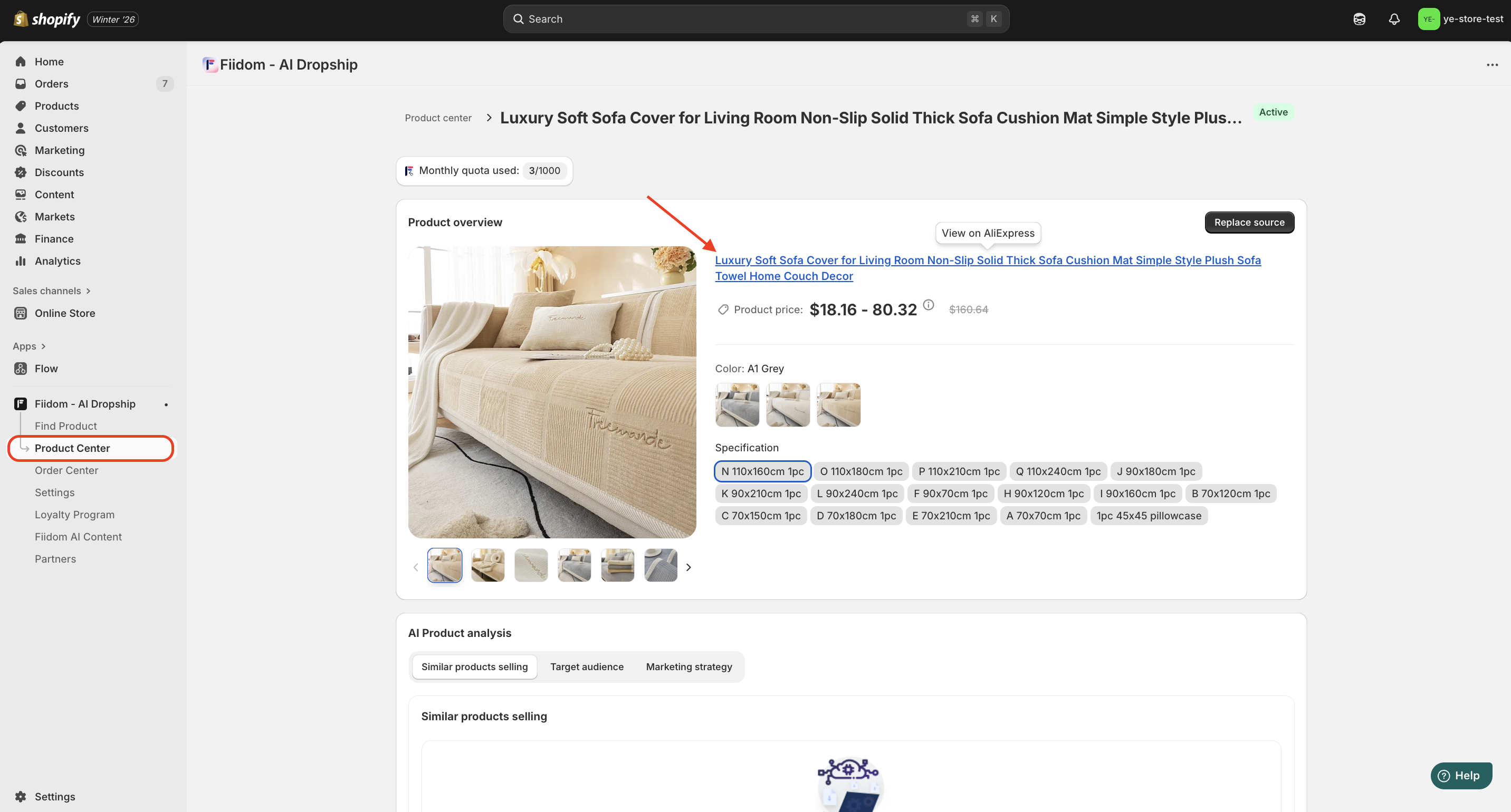
If you are in the product details page on Product Center, simply click the product name to be redirected to the AliExpress site and view the original product.
Should you need any further information, please do not hesitate to contact us directly at suppot@fiidom.com
Was this article helpful?
That’s Great!
Thank you for your feedback
Sorry! We couldn't be helpful
Thank you for your feedback
Feedback sent
We appreciate your effort and will try to fix the article