Fiidom AI Dropship is a powerful AI-driven tool that helps Shopify store owners can dropship from start to finish and easily automate tasks like product discovery, content optimization, pricing, importing products to the store, and order fulfillment - all in just a few clicks.
Thanks to Fiidom AI Dropship, merchants can streamline the entire dropshipping workflow, enhancing their stores while saving time and increasing profits.
Follow the steps below to efficiently run and grow your dropshipping business.
How to install Fiidom AI Dropship
In order to dropship with Fiidom AI Dropship, you need to follow the steps below to install.
Steps
1. Log in to your Shopify admin.
2. In your Shopify dashboard, click on Apps in the sidebar and type “FD AliExpress Dropshipping POD” to find the correct app.
3. On the app page, click Install.
After clicking install, review the permissions and click Install once again to grant access.
Once installed, the app will appear in your Shopify admin under Apps. Click on “FD AliExpress Dropshipping POD” to open it.
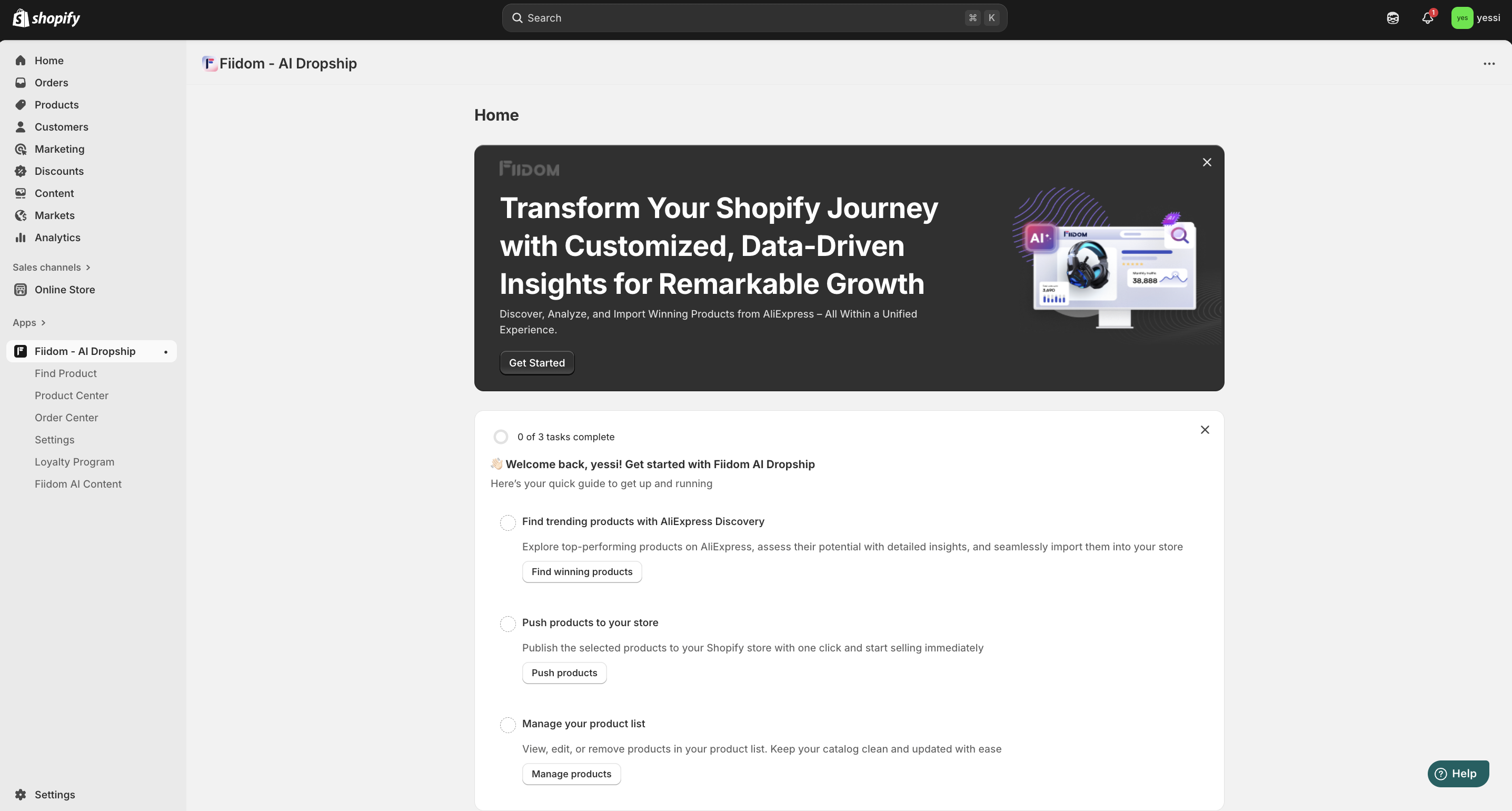
How Fiidom AI Dropship simplifies your dropshipping process
Here’s what you can do to get started with Fiidom AI Dropship and begin dropshipping.
1. Find products & import them in one click
The first step is to decide which products to sell and which customers to target. Fiidom partners with AliExpress, allowing you to discover trending products in just a few minutes and clicks, saving you a lot of time on supplier research.
You can browse the ready-made product lists within the app. If you don’t find the products you want, simply copy the product link from AliExpress and use the ‘Import from AliExpress’ button in the app to add it to your store.
2. Customize & manage products in Product Center
After pushing to store, all products will appear in the Product Center. If you have special needs for your products, you can continue importing more products, edit product details (title, images, description, pricing). Once done with this, you can push them to your store and wait for customers to place an order.
3. Process orders in Order Center
When your store receives an order that includes products pushed from Fiidom, it will automatically appear in the Order Center. You can then place the order on AliExpress with a single click, and the tracking information will automatically sync back to the app once the order is fulfilled.
After the app receives the tracking code from AliExpress, the order fulfillment will be completed automatically in the app, or you can choose to fulfill it directly in Shopify. The supplier will then ship the product straight to your customer.
Was this article helpful?
That’s Great!
Thank you for your feedback
Sorry! We couldn't be helpful
Thank you for your feedback
Feedback sent
We appreciate your effort and will try to fix the article