When you import products from AliExpress, they will be moved to the Fiidom’s Product Center, and the product prices will then follow the currency settings of your Shopify store.
You may also notice that you can change your primary store currency on Shopify before first sale. If you've already processed orders (even unpaid ones), you generally cannot change the store currency yourself and will need to contact Shopify Support for assistance.
Below is a clear guide on how to change the currency, depending on your setup:
For selling in one currency (Single store currency)
Steps
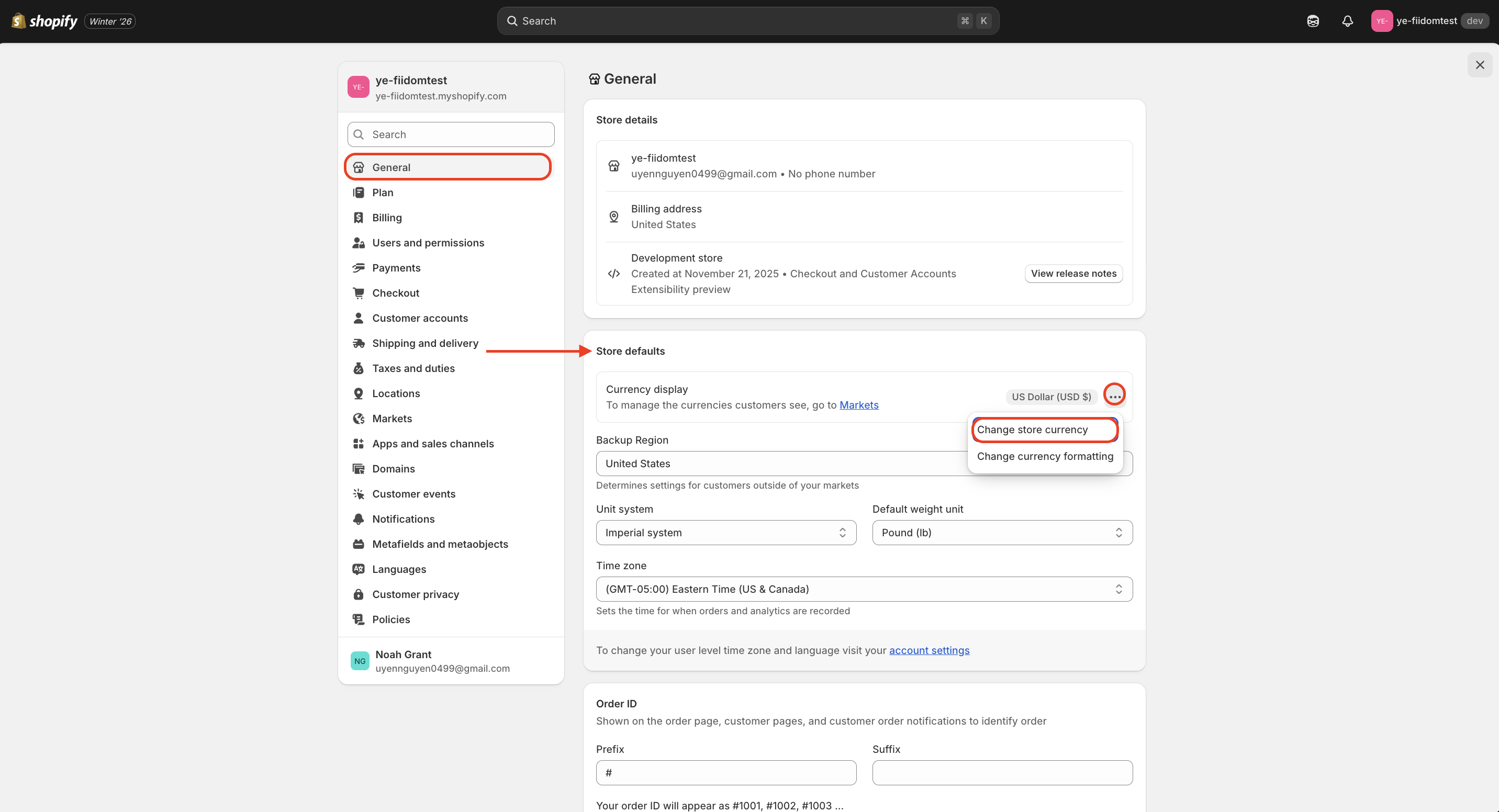
1. From your Shopify admin, navigate to Settings > General.
2. Scroll down to the "Store defaults" section.
3. Click the three dots (⋯) next to "Currency display" and select "Change store currency".
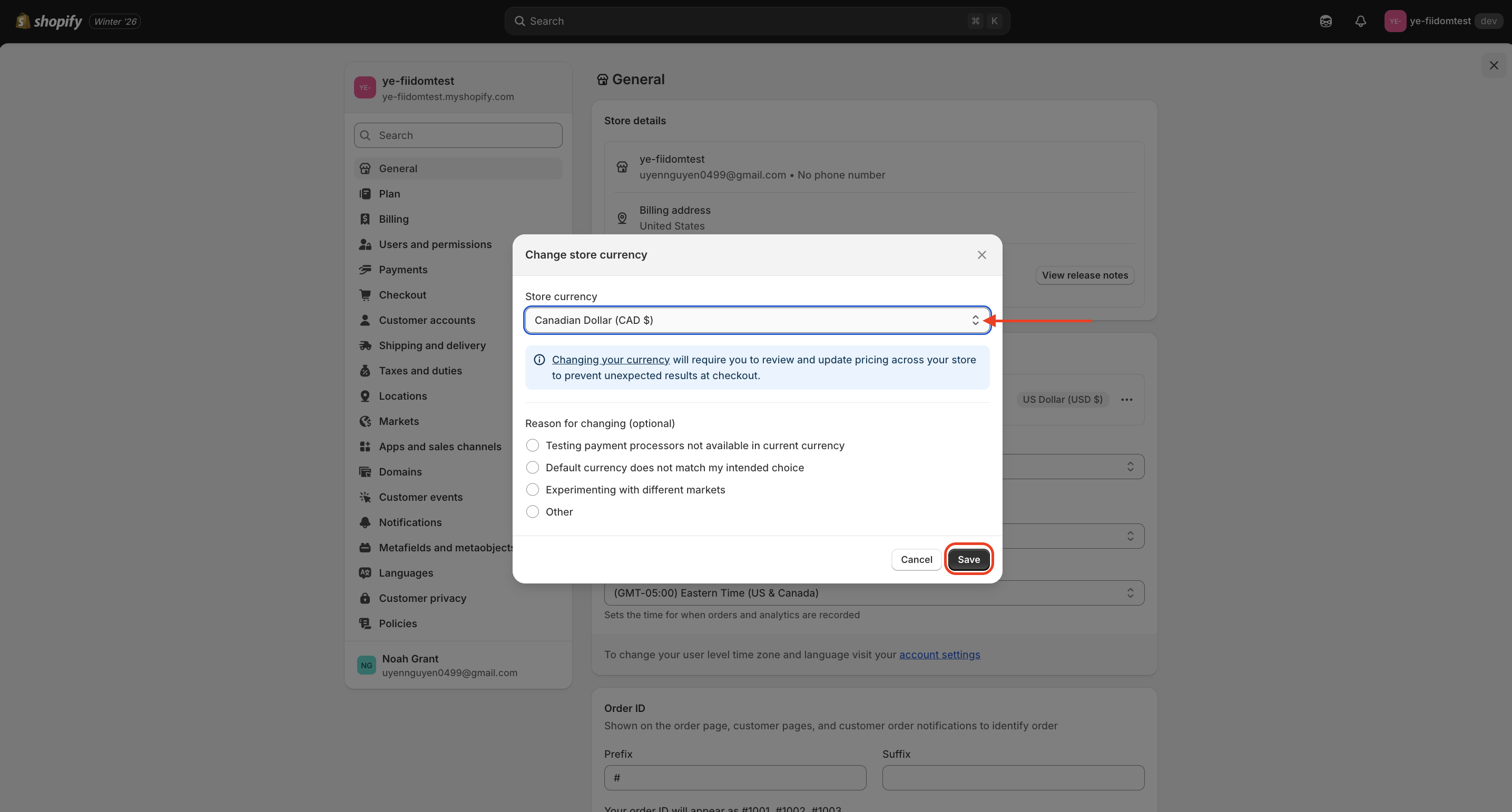
4. Choose your new currency and click Save.
For selling in multiple currencies (International)
Steps
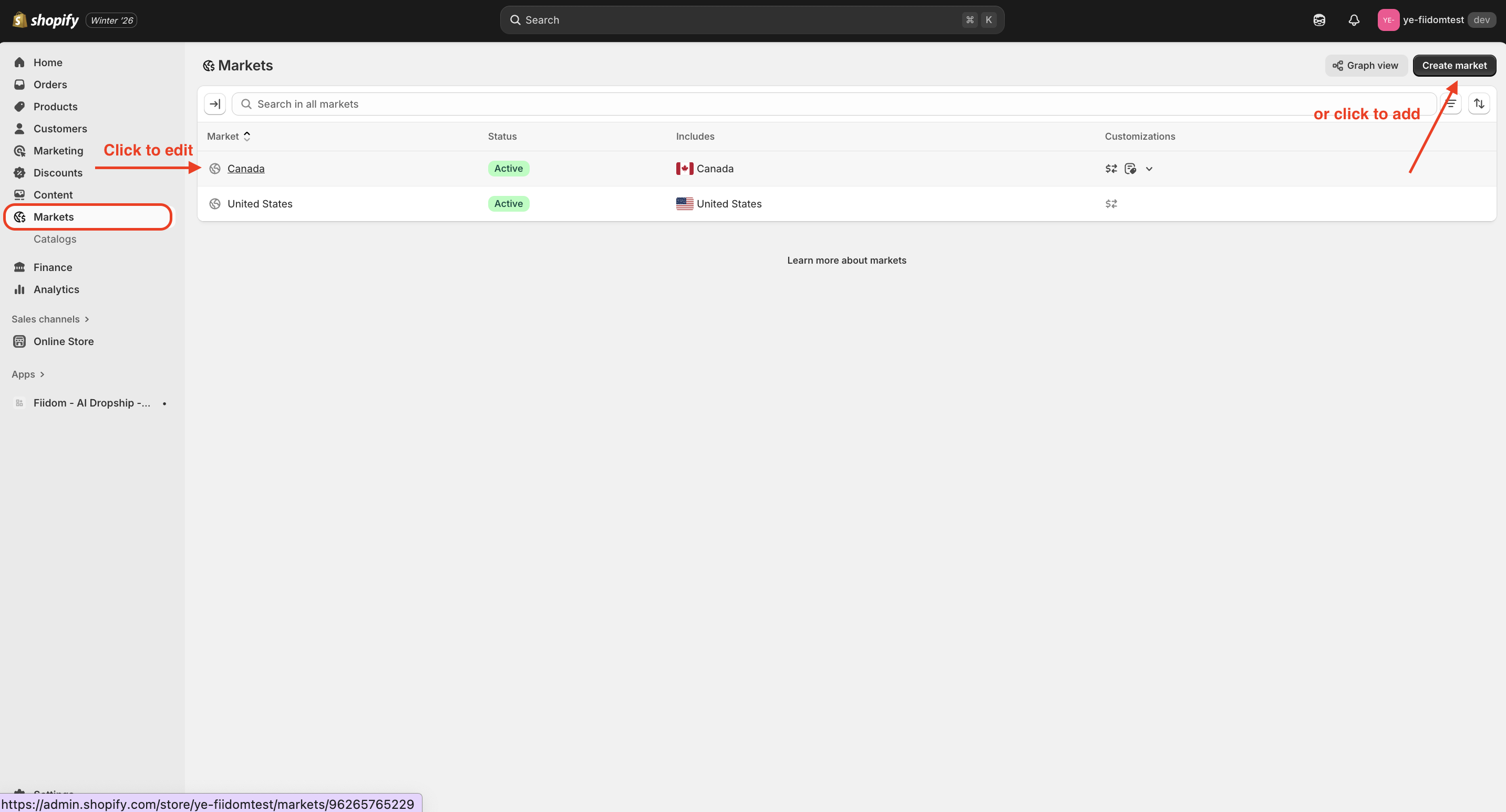
1. In your Shopify dashboard, go to Settings > Markets.
2. Click the market you want to manage (e.g., "Europe") or click Create market to add a new one.
3. In the Currency section, enable the currencies you want to support.
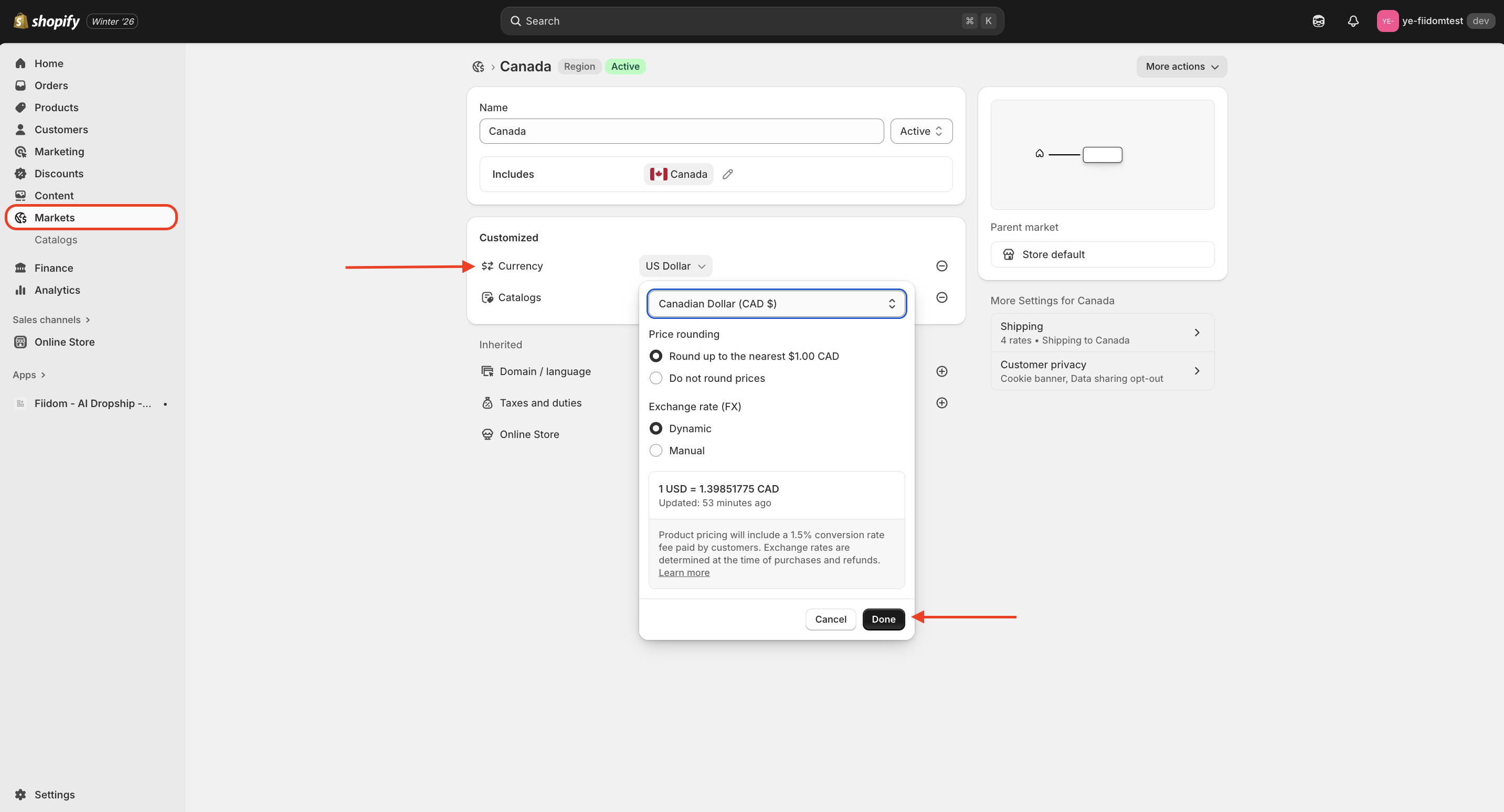
4. Click Save for your changes.
After setup, customers in the specified markets will see product prices in their local currency and can check out seamlessly in that currency.
Was this article helpful?
That’s Great!
Thank you for your feedback
Sorry! We couldn't be helpful
Thank you for your feedback
Feedback sent
We appreciate your effort and will try to fix the article
