Do you want to spread the word about your store and bring in more customers? Whether you're launching a new product, running a seasonal campaign, or engaging your audience on social media, Fiidom’s AI Content Creation streamlines the entire process.
What is AI Content Creation?
Fiidom’s AI Content Creation feature allows you to instantly draft marketing‑ready copy tailored to your campaigns. From email campaign, ad copy, to social captions, Fiidom helps you create persuasive content that resonates with your audience and supports your sales goals.
Beyond that, it comes with powerful presets for instant setup, along with flexible customization options to fine-tune every detail according to your specific needs.
How to draft email marketing
Steps
1. Login to Fiidom > AI Content Creation.
2. Click Emails to start an email marketing campaign.
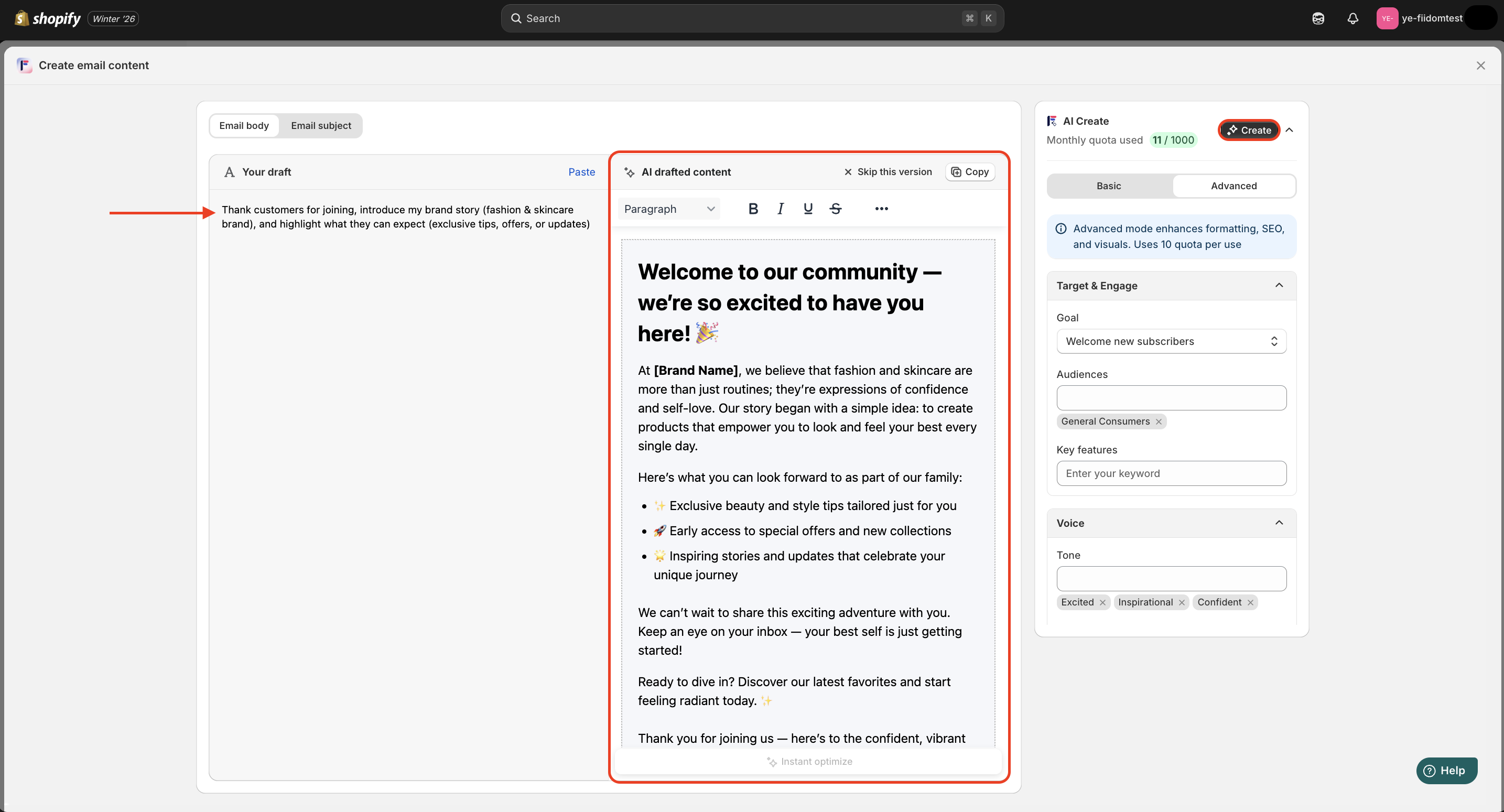
3. In the Customization window, access each tab to adjust different parts of your email:
- For the email subject line, paste your draft and choose Basic for quick formatting or Advanced for enhanced SEO and visuals.
- For the email body, enter your ideas and choose a custom that fits your needs.
4. If the results aren't what you expected, click Not use this version and try again for different options.
5. Click Save to apply it in your campaign.
How to write ads copy
Steps
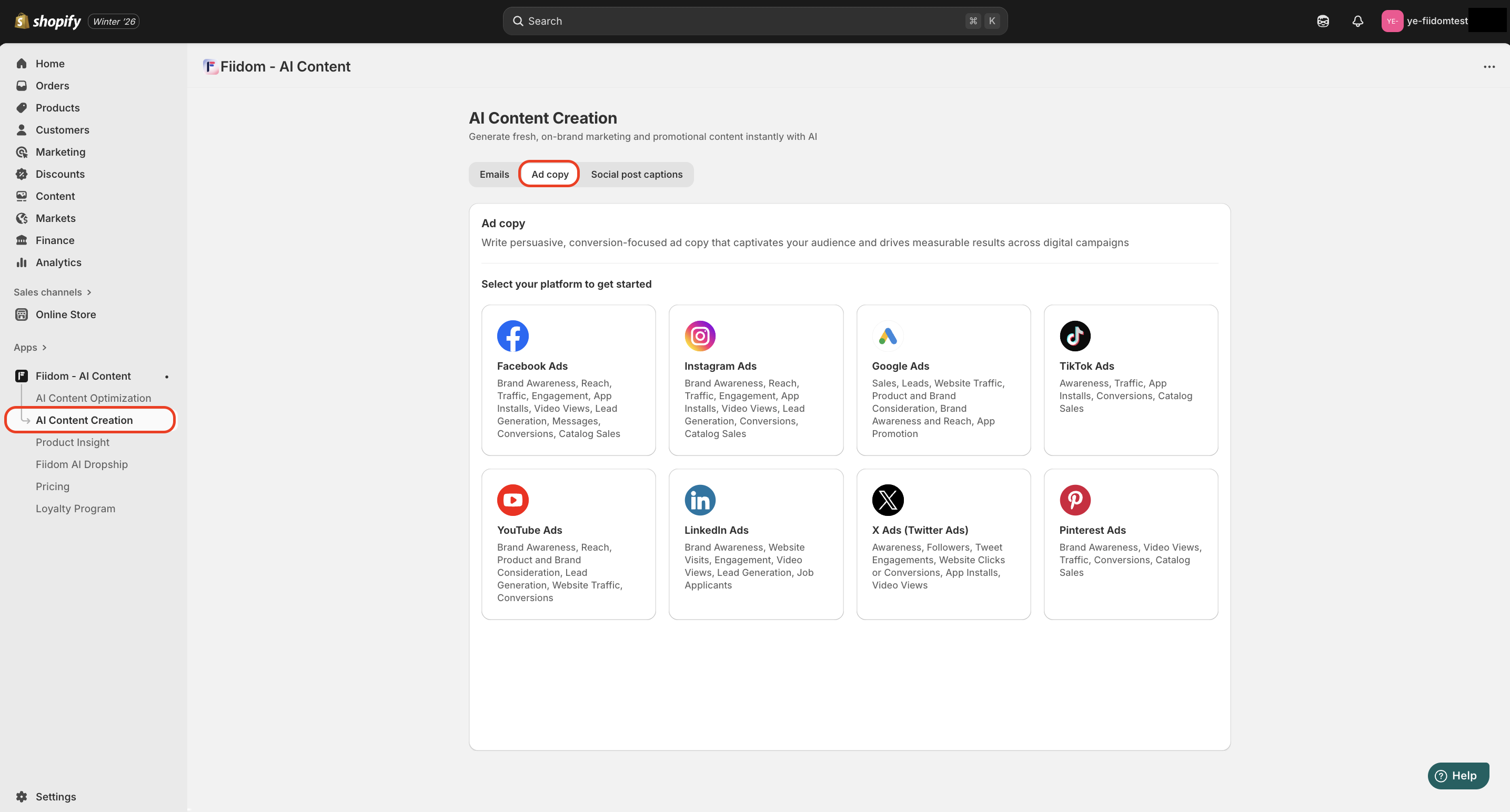
1. Login to Fiidom > AI Content Creation.
2. Click Ad Copy to start writing ads.
3. Select the platform (Google Ads, TikTok Ads, etc.).
4. In the Customization window, you can specify:
- Ad base: Set the ad goal, format, and field.
- Product highlight: Add the product name, description and keyword.
- Target, Style & Voice for specific audience segments.
5. Click Create.

6. If the results aren't what you expected, click Skip this version and try again for different options.
7. Copy the generated text and paste it into your ad campaigns on ad platforms.
How to create social post caption
Steps
1. Login to Fiidom > AI Content Creation.
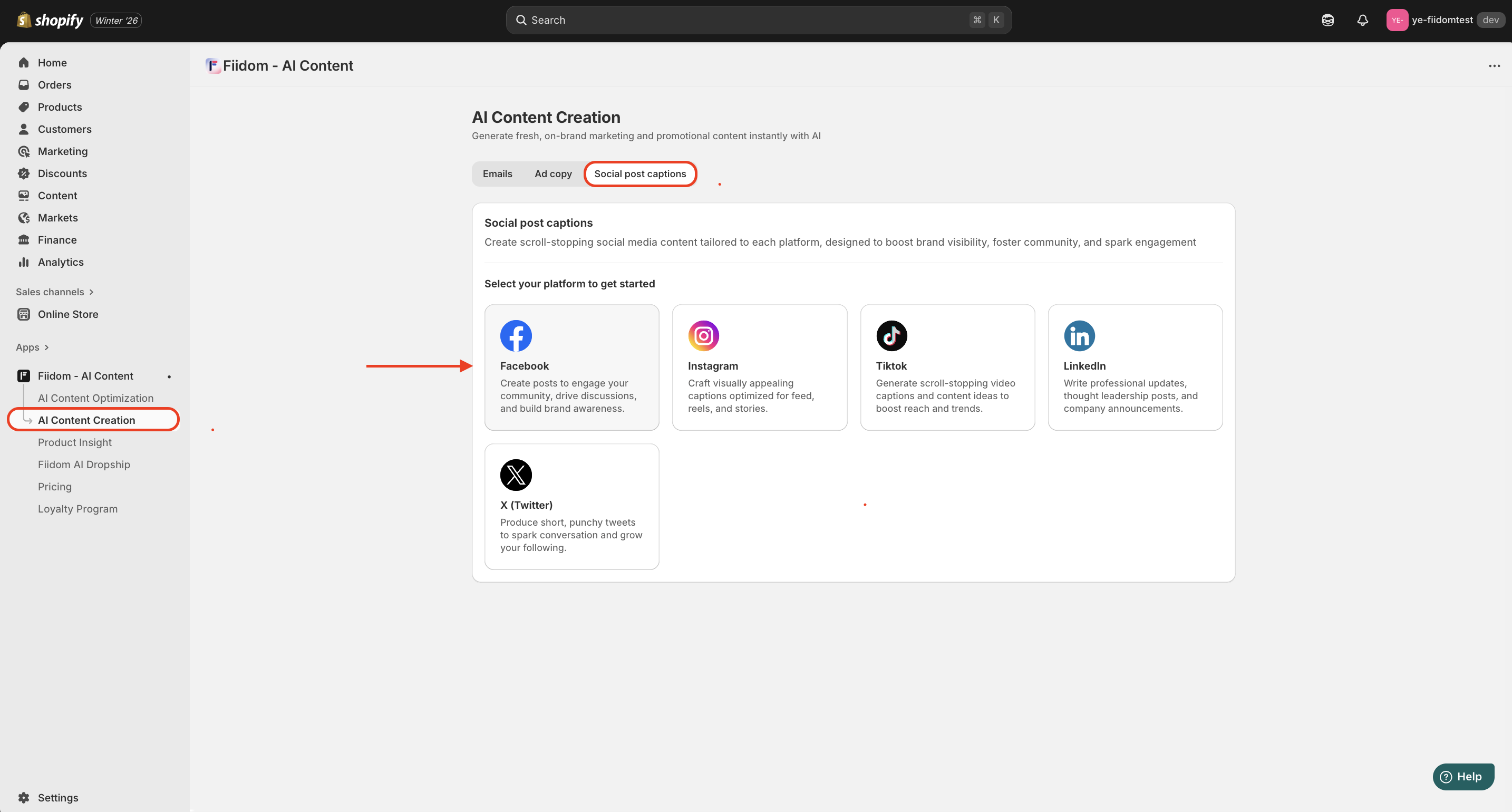
2. Click Social post captions to generate new post captions.
3. Select the platform (Facebook, Instagram, TikTok, etc.).
4. In the Customization window, you can specify:
- Content Style: Choose the caption type and set your campaign goal.
- Audience & Voice: Select target segments, tone, and writing framework.
- Highlights & Storytelling: Add a short story or scenario to make the caption relatable, plus hashtags and a CTA.
5. Click Create.
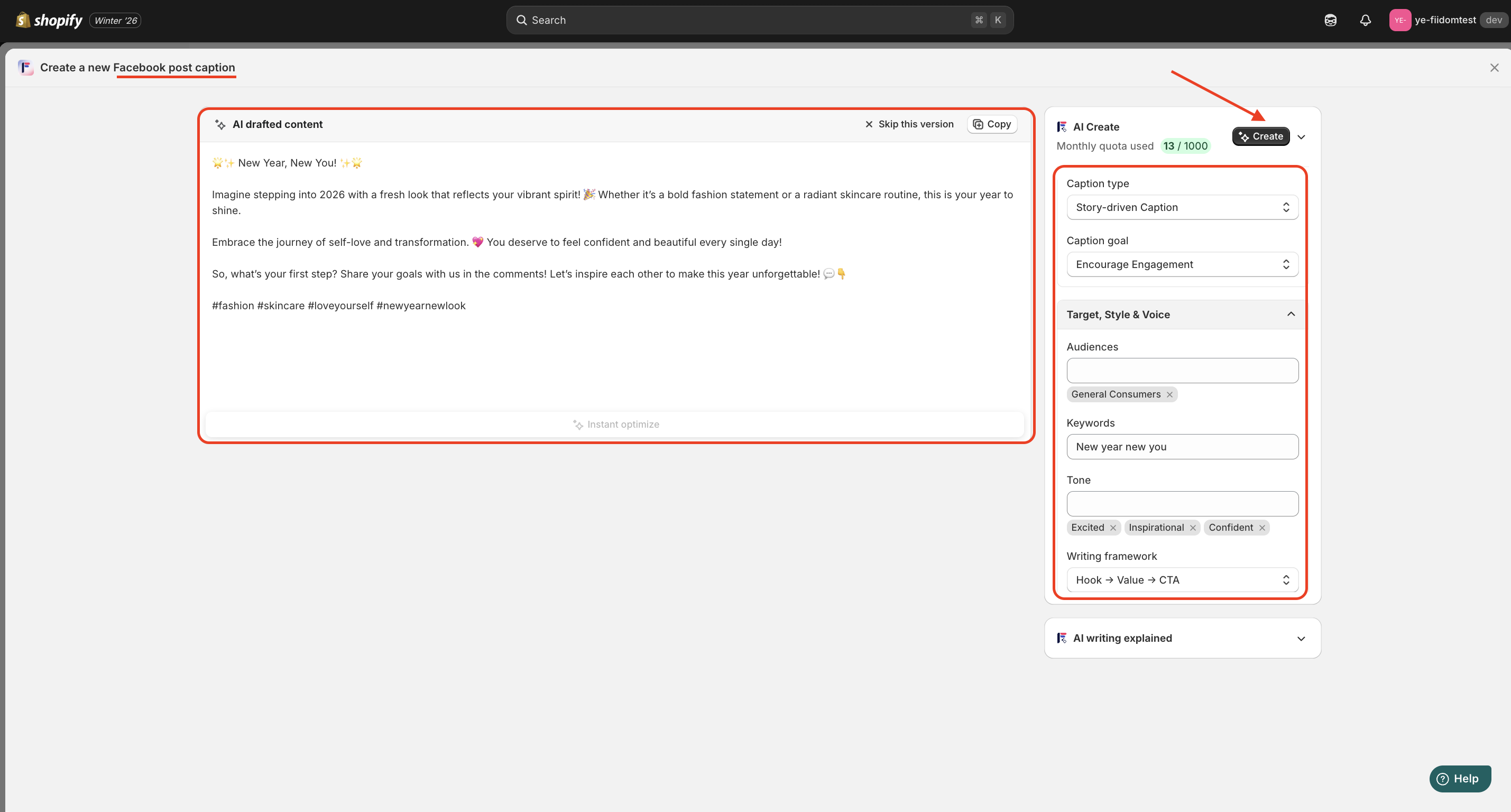
6. If the results aren't what you expected, click Skip this version and try again for different options.
7. Copy the captions and post them on your social media platforms.
Across all campaigns, from emails, ads to social posts, remember to tailor content to your brand voice and audience to achieve the best results.
Should you need any further information, please do not hesitate to contact us directly at suppot@fiidom.com
Was this article helpful?
That’s Great!
Thank you for your feedback
Sorry! We couldn't be helpful
Thank you for your feedback
Feedback sent
We appreciate your effort and will try to fix the article