Want to optimize multiple products at once? Use Bulk Optimize to apply AI improvements across products, saving time and ensuring consistency.
How to bulk product content optimization
Steps
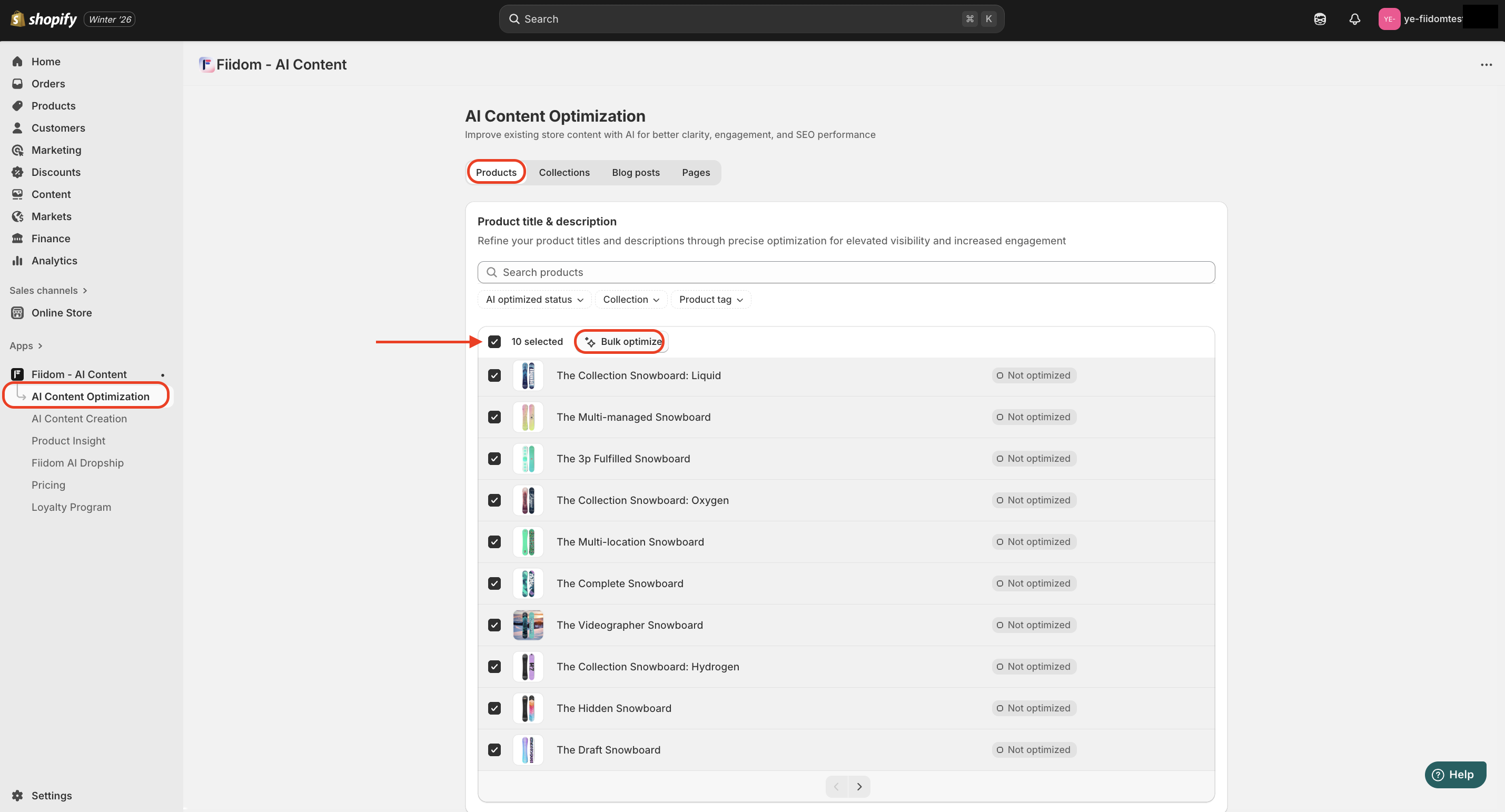
1. Login to Fiidom > AI Content Optimization.
2. The Product part is selected as default. Tick the checkbox in front of the products you want to optimiz > Click Bulk Optimize.
3. In the Customization window, select one of the preset tones, or add a custom tone to use > Click Optimize.
4. Optional: You might want to use the following steps to regenerate and review several versions of a product description before choosing one as a draft:
- To refresh the suggested content, click Not use this version.
- To change the tone of the generated content, select a different tone option, and then click Optimize.
5. Review and save the generated content.
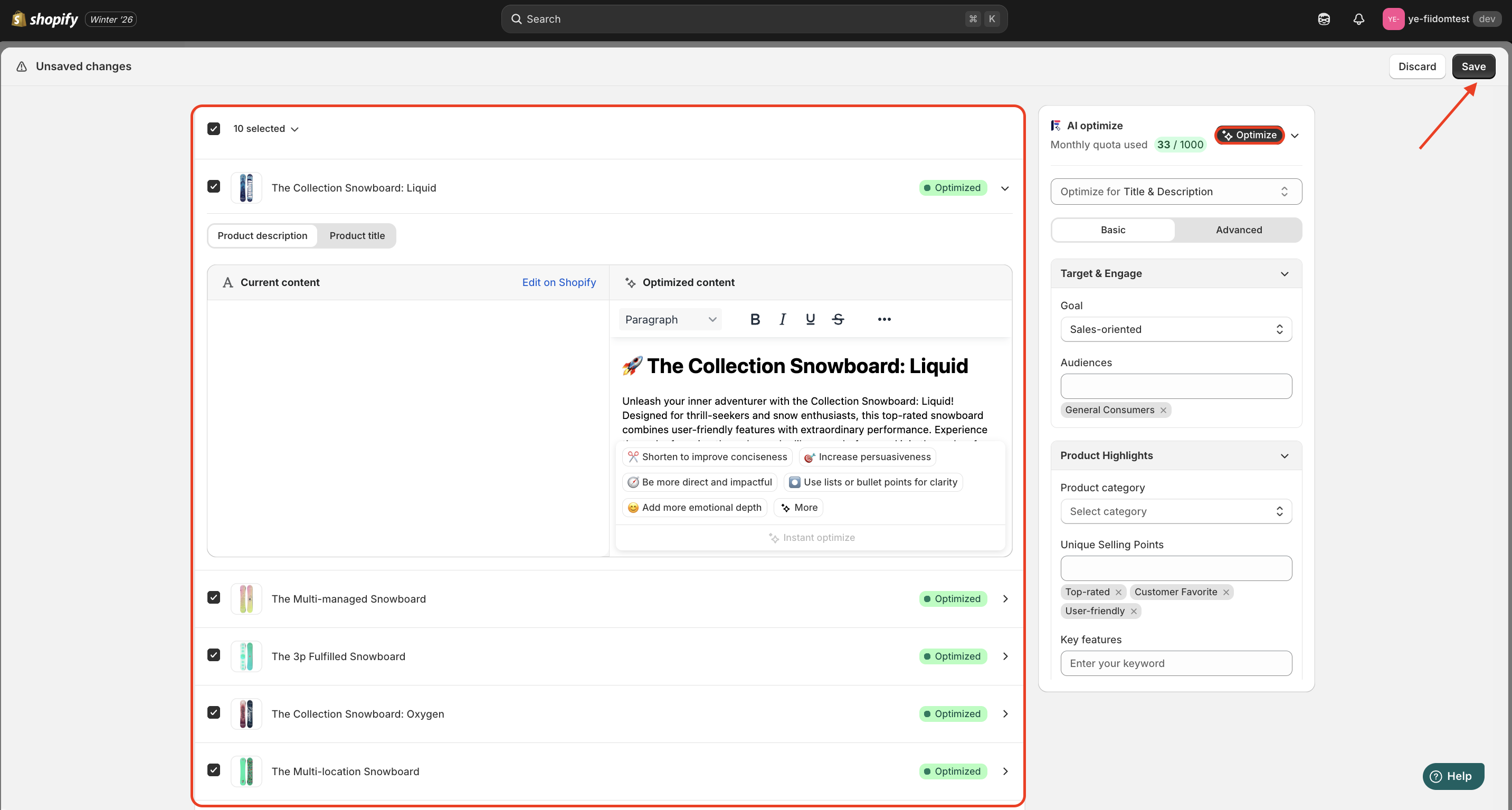
When finished, any product that’s successfully optimized will switch its status from Not optimized to Optimized.
Should you need any further information, please do not hesitate to contact us directly at suppot@fiidom.com
Was this article helpful?
That’s Great!
Thank you for your feedback
Sorry! We couldn't be helpful
Thank you for your feedback
Feedback sent
We appreciate your effort and will try to fix the article