Generally when an order is created and paid correctly on your store, Fiidom will sync it to the Awaiting Order tab in the Order Center. Then you can process the order step by step to fulfill it.
Fiidom can help you place orders to suppliers individually or in bulk. Once you fill out order information properly, it will only take a few clicks to place orders, which helps you process orders efficiently.
Beforehand, please log in to your AliExpress account and link it to make sure the fulfillment process goes smoothly.
How to fulfill an order
Steps
1. Login to Fiidom > Order Center.
2. Access the Awaiting order tab.
3. Hover over the order for which you want to fulfill, and click Order.
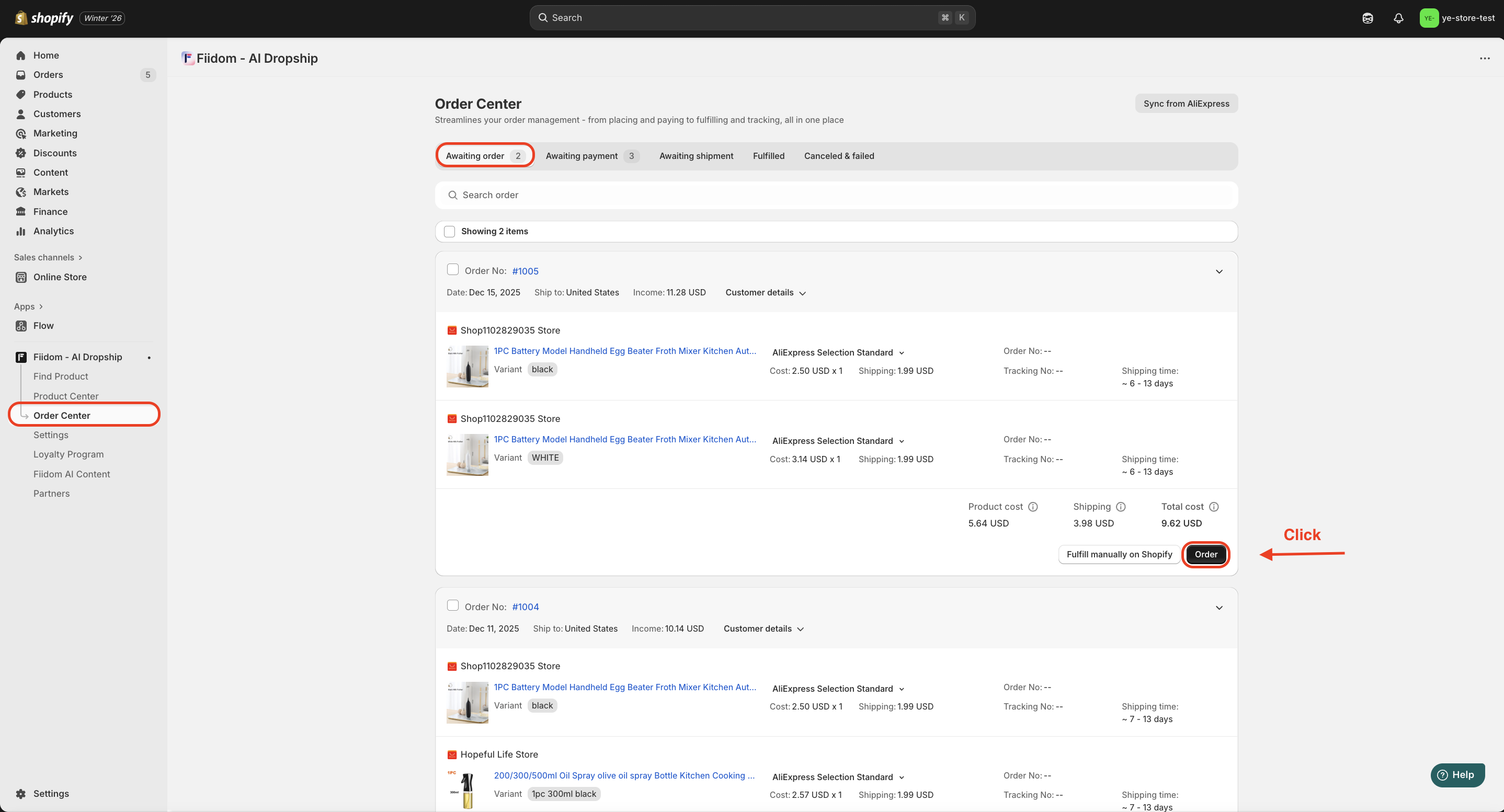
The order will be moved to the Awaiting payment tab and you need to pay for them as soon as possible.
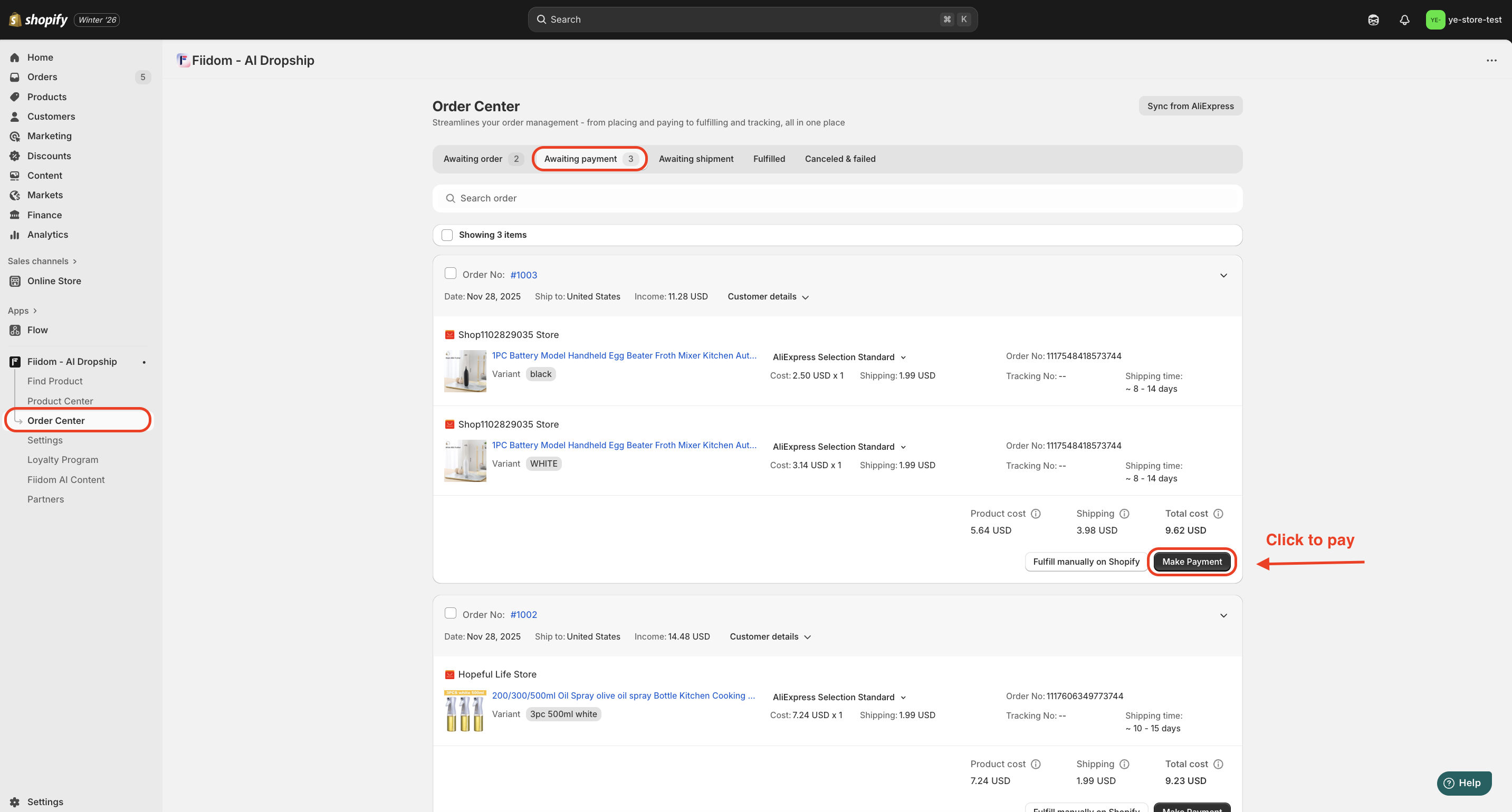
4. Access the Awaiting payment tab.
5. Click Make payment on the Order Card.
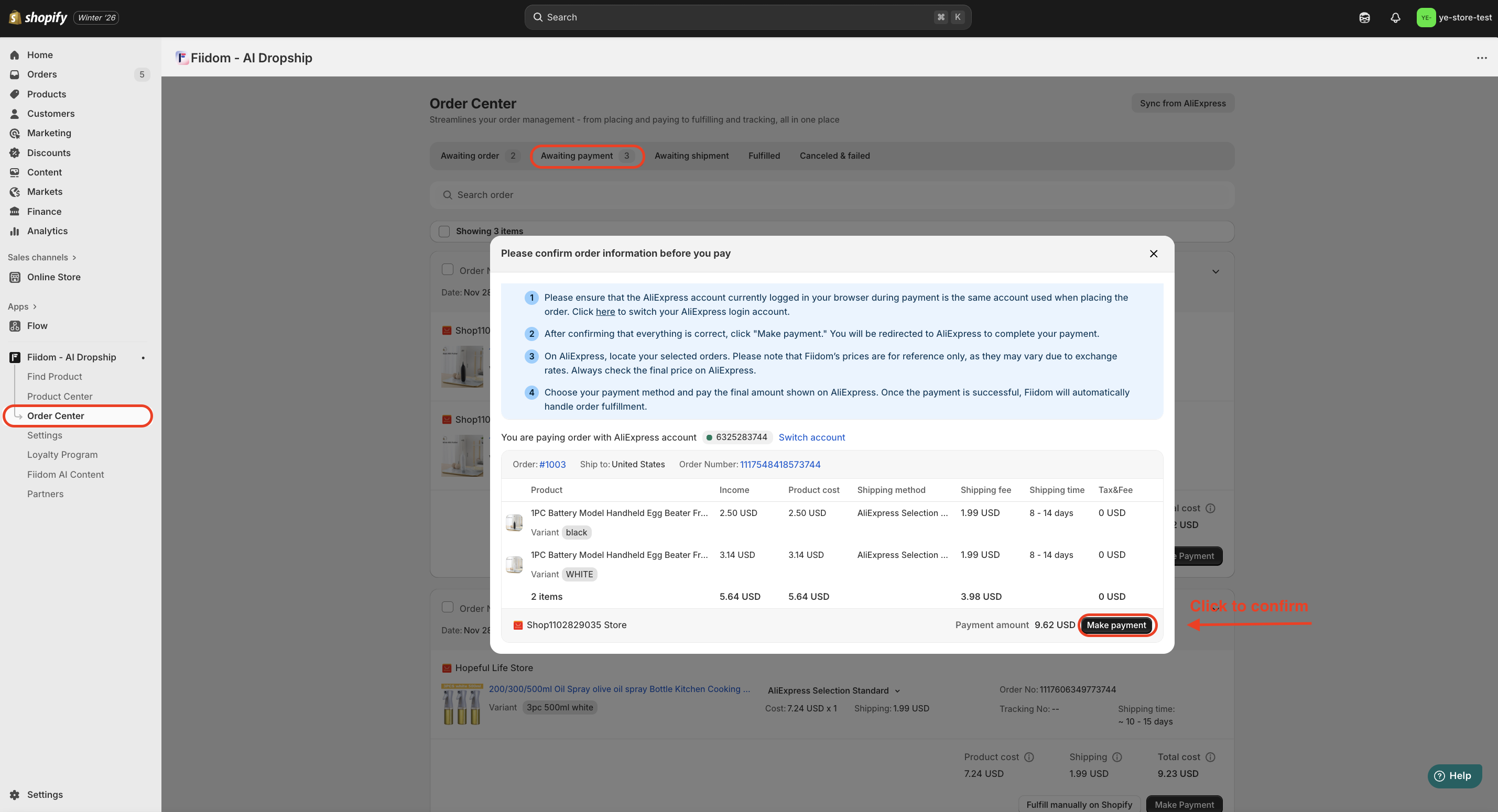
6. In the Pop-up, confirm order information > Click Make payment.
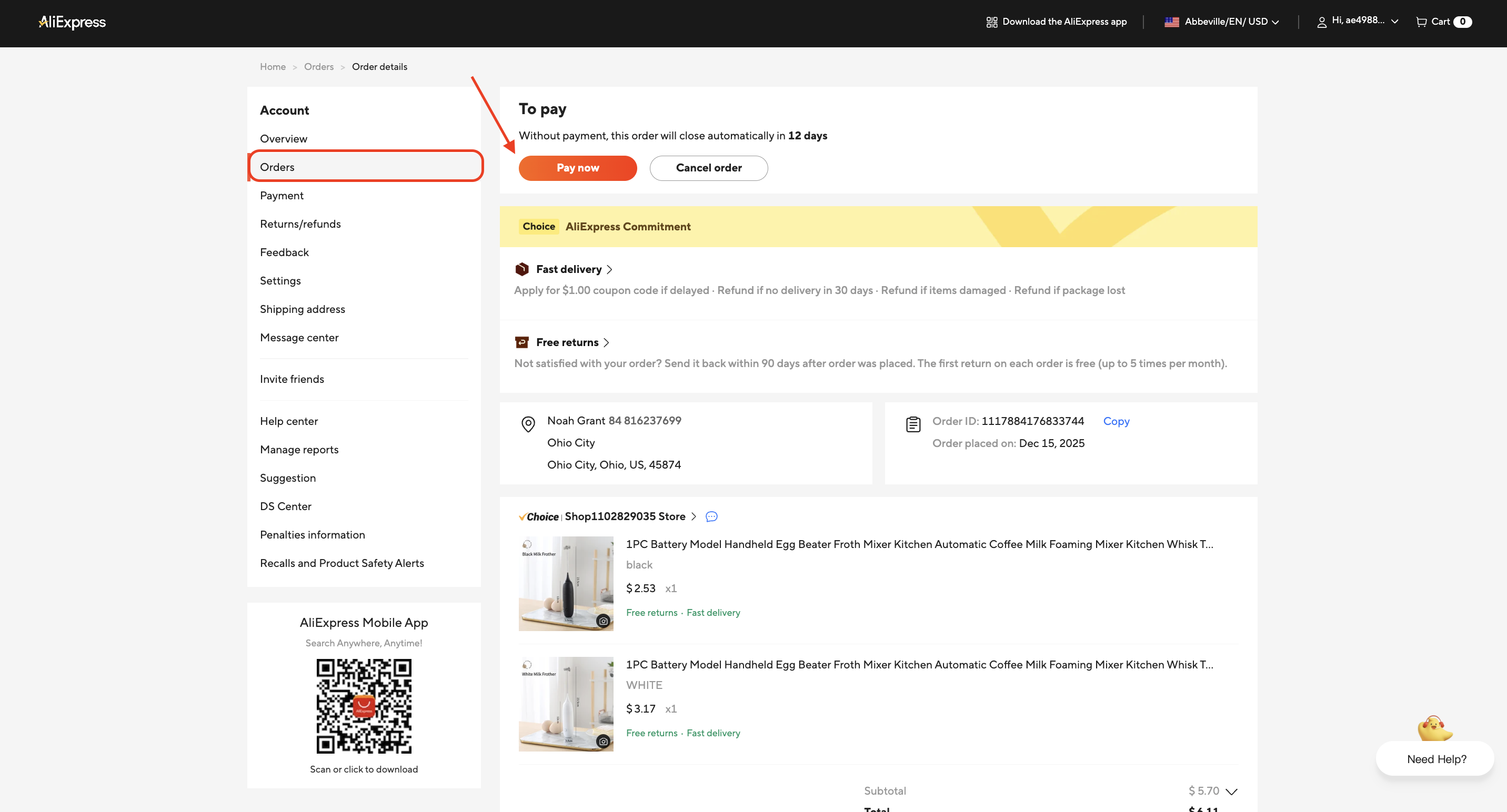
You will be directed to the AliExpress Orders page.
7. Locate the order you want to pay for and click Pay now.
8. In the Pop-up, choose a payment method and click the button at the bottom right to complete the payment.
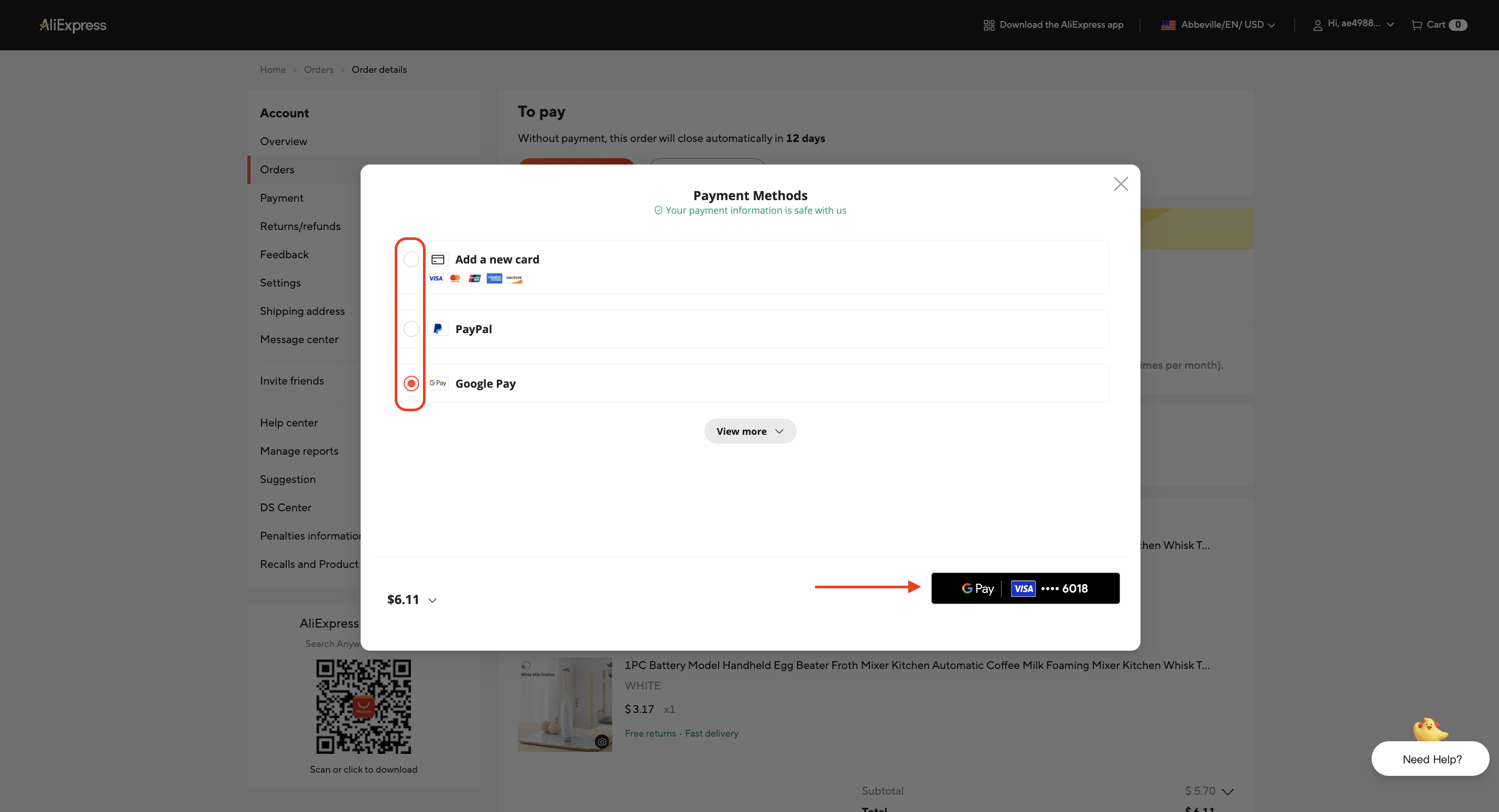
If the payment is successful, the order will be moved to the Awaiting shipment tab and you can wait for your supplier to ship the order to your customer.
How to fulfill orders in bulk
Steps
1. Login to Fiidom > Order Center.
2. Access the Awaiting order tab.
3. Tick the check box in front of the order number on the Order Cards of the orders that you want to fulfill.
4. Click Order to the right of the Navigator Bar.
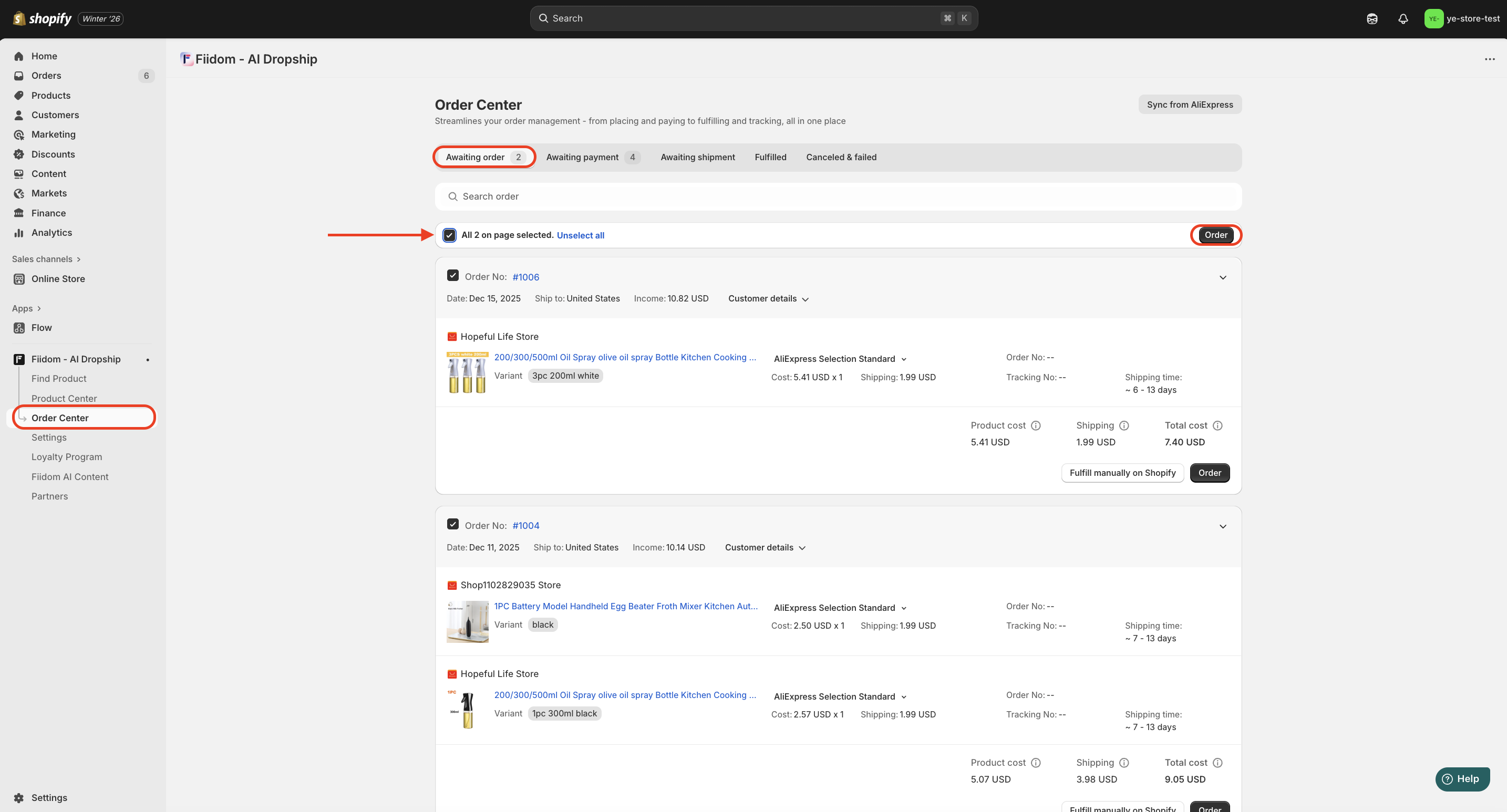
Your orders will be moved to the Awaiting payment tab.
5. Click Make payment on the right bottom of the Order Card of the order you want to pay for to pay for a single order (Or Tick the checkbox on the Order Card and click Make payment to the left of the Navigator Bar to pay for orders in bulk).
6. In the Pop-up, click Make payment to be redirected to the Payment details page.
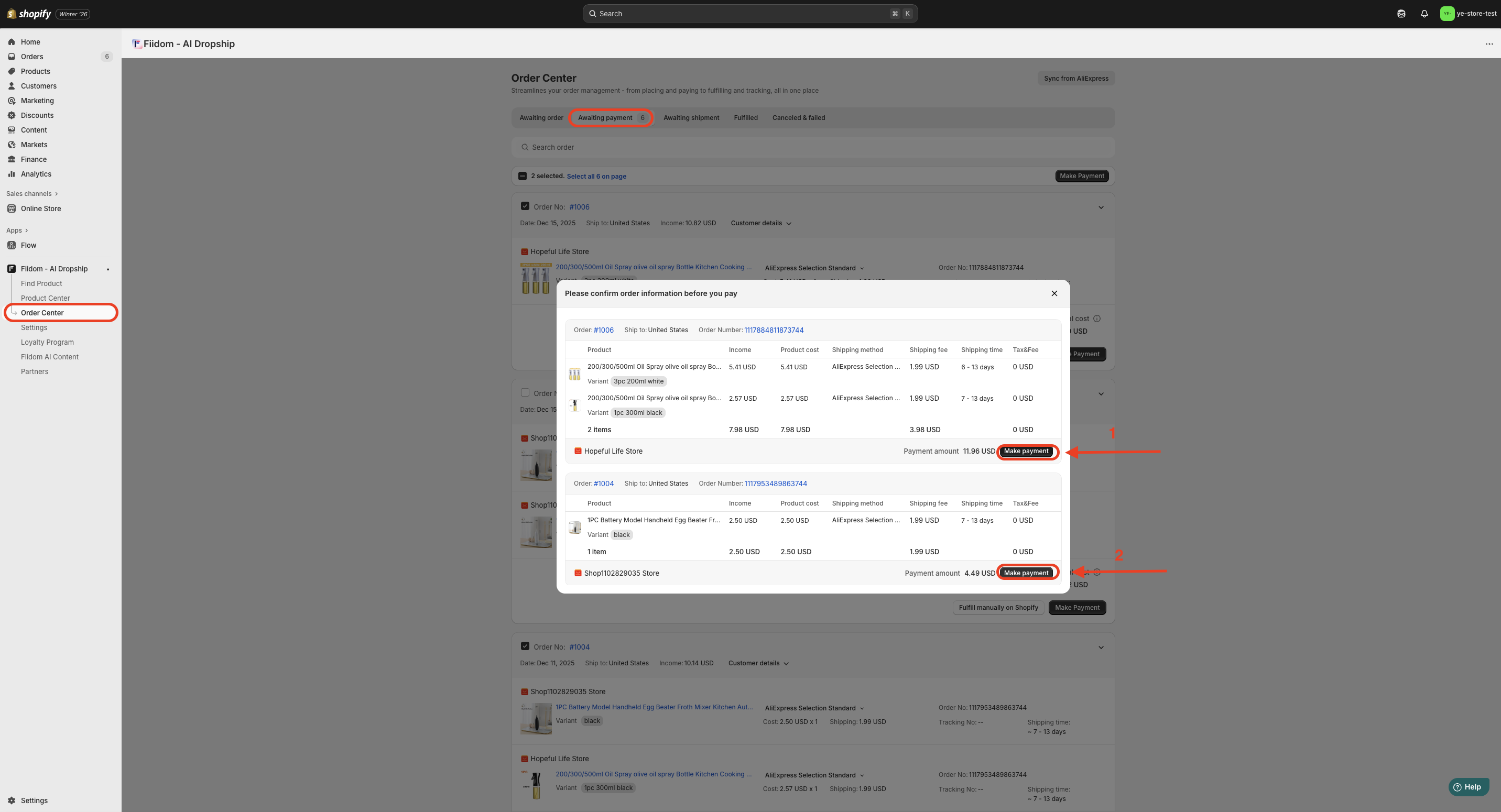
7. Click one payment method (PayPal, Stripe, Bank Transfer, etc.) and follow the on-screen instructions to complete the payment.
Once the payment is successfully completed, the order will be moved to the Awaiting Shipment tab, where you can wait for the supplier to ship it to your customer.
Important Note: You have to complete the payment during the fulfillment process. Without payment, this order will close automatically in 12 days.
Was this article helpful?
That’s Great!
Thank you for your feedback
Sorry! We couldn't be helpful
Thank you for your feedback
Feedback sent
We appreciate your effort and will try to fix the article