Replace source feature allows you to replace your pushed Shopify product with a new supplier when the current product is not found on AliExpress, which ensures your order fulfillment process will not be affected.
You can either paste a new AliExpress product link manually to replace the current one, or use the AI Recommend to quickly suggest matching AliExpress sources for this product.
How to replace your pushed product with a new one
Step
1. Login to Fiidom > Product Center.
2. Navigate to the product card > Click the dropdown arrow on the yellow alert.
3. Select Replace Source.
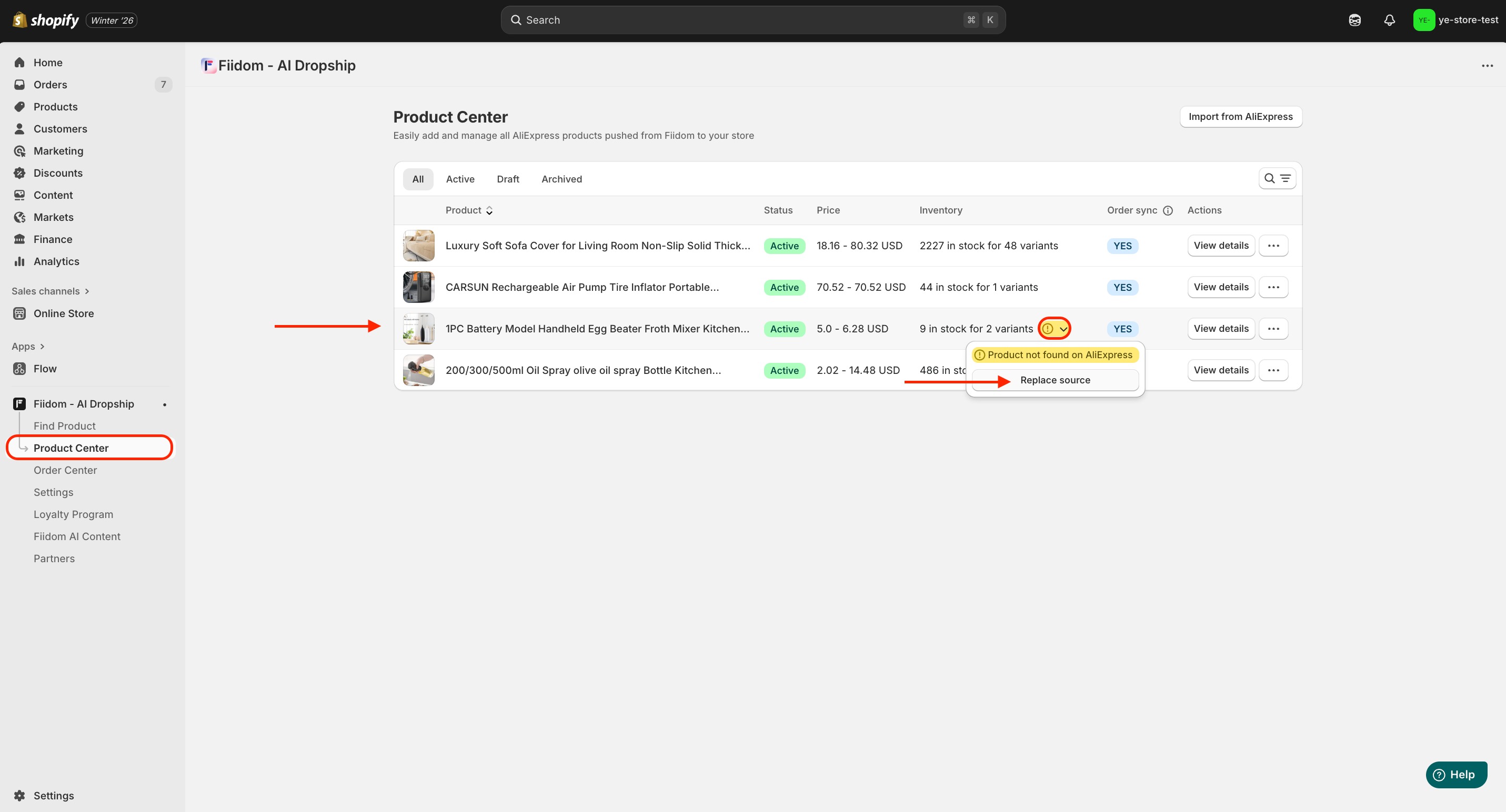
4. In the Pop-up, select replacement type you want to replace:
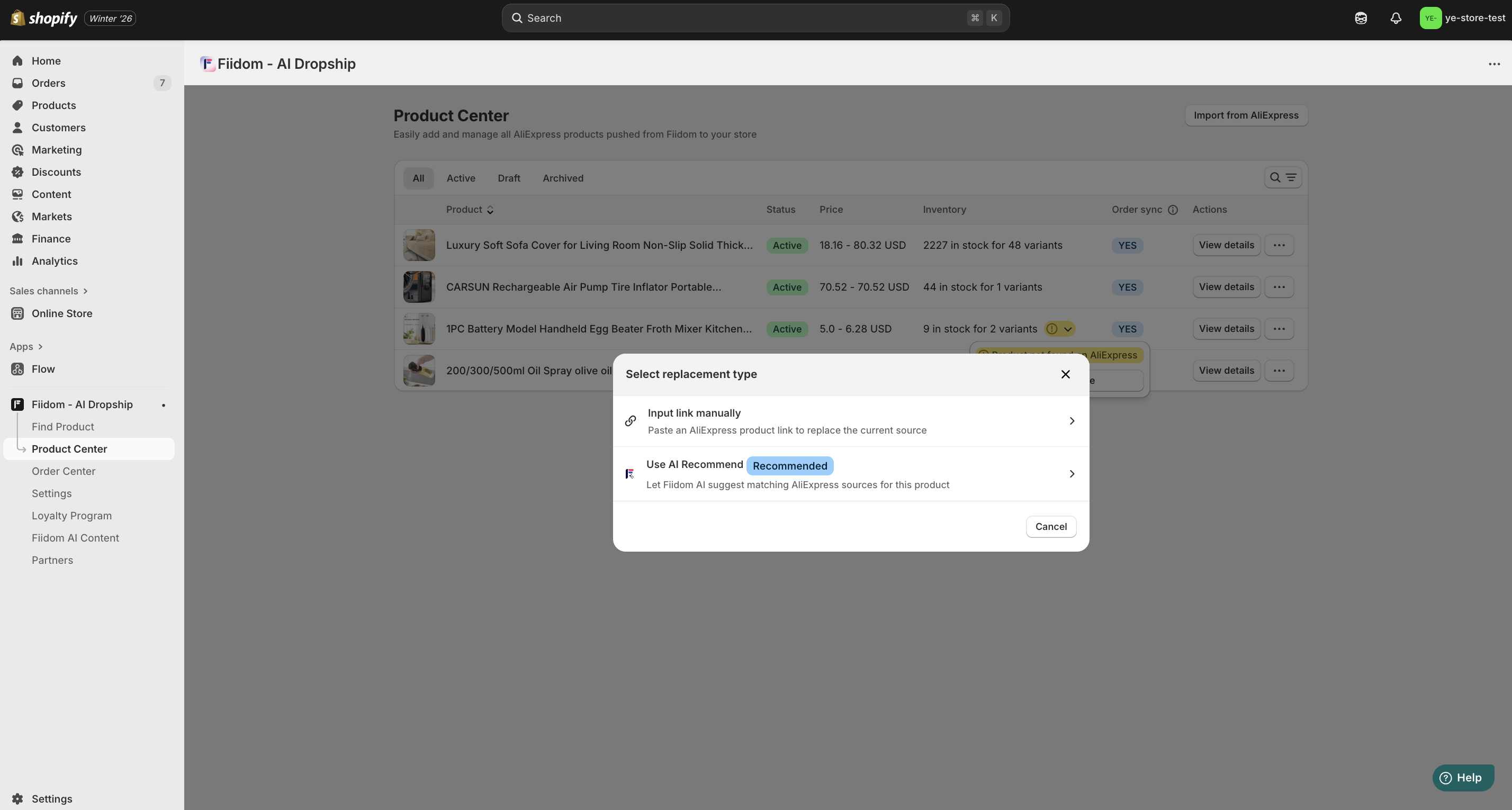
- If you choose an Input link manually option, paste the AliExpress product URL in the box.
- If you choose to use the AI Recommend, wait for the system to verify and map a new the product URL.
5. In the Replace Source window, modify corresponding variants.
6. Click Save for new changes.
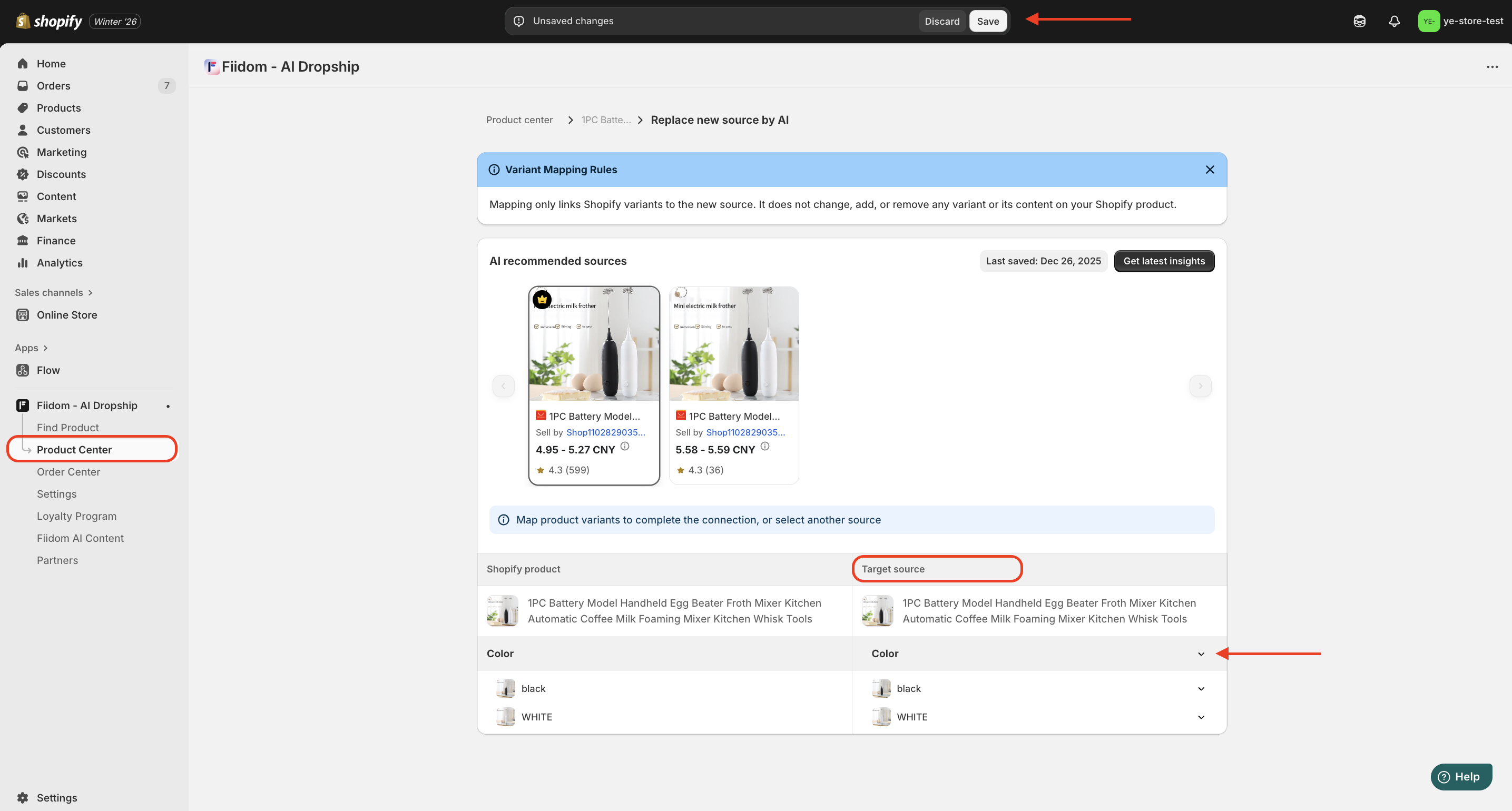
Now Fiidom AI Dropship will help you re-push the new product to Shopify, and this update will apply to any current orders containing the product as well as all future orders.
Should you need any further information, please do not hesitate to contact us directly at suppot@fiidom.com
Was this article helpful?
That’s Great!
Thank you for your feedback
Sorry! We couldn't be helpful
Thank you for your feedback
Feedback sent
We appreciate your effort and will try to fix the article